Discovered by people who just bought.
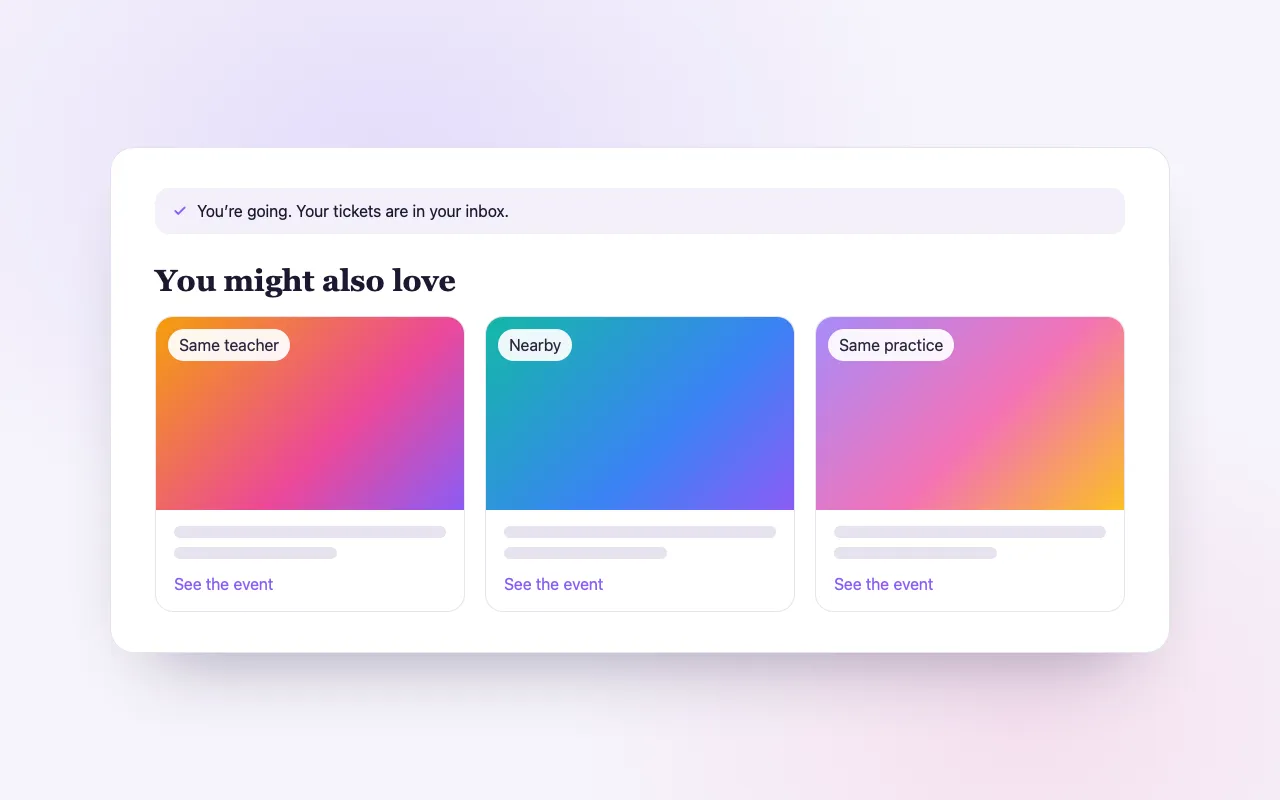
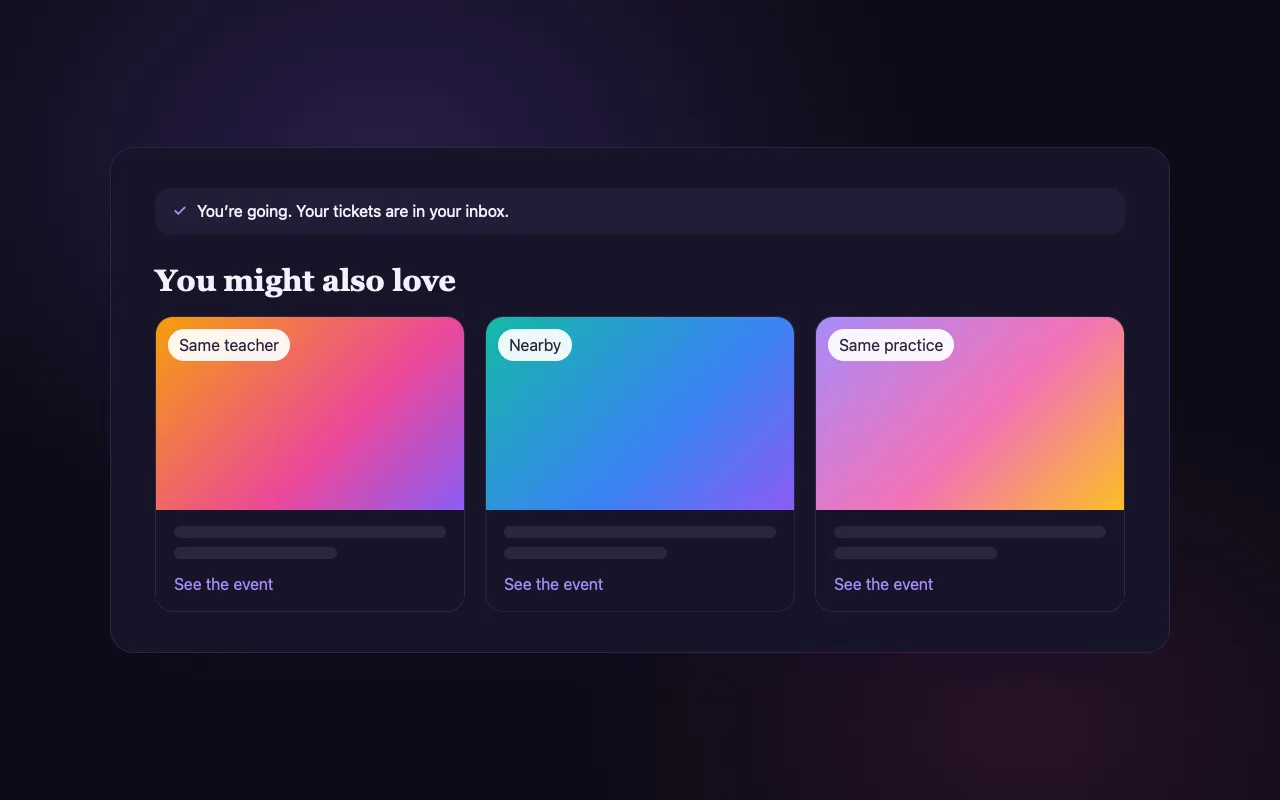
When someone buys a ticket to a similar event, yours can appear right after, on the pages and emails they are already reading.
Sign upIncluded on every plan, Seva included.
Growth that comes to you
Seen at the right moment
Recommendations appear on the confirmation page and in the confirmation and reminder emails.
Matched with care
Same performer first, then category, shared tags and nearby; each shows why it was suggested.
You choose
Promote others or not, block categories you do not want beside yours, or hand-pick your own.
How it works
Publish your event
It becomes eligible for recommendations while it is on sale.
Buyers discover it
People who just bought something similar see it after their purchase.
They buy
The sale lands in your dashboard like any other.
Loved by artists and organizers
“BrightStar has been supporting my concerts since the very beginning of my career and played a pivotal role in growing my audience sizes. Their loyalty and dedication to both artists and event organizers is exemplary, as is their professionalism.”

Snatam KaurGrammy Nominee (Client Since 2005)
“BrightStar is a close friend and ally with The Shift Network and has been invaluable in helping us bring attention to our programs. We share common spiritual values focused on uplifting humanity. BrightStar combines professional marketing expertise with heart-centered service.”

Philip HellmichDirector of Peace, The Shift Network (Client Since 2012)
“For nearly two decades, Akal (owner of BrightStar) has been lending his skills and talents in support of the Bhakti movement. His platform uniquely serves our movement with authenticity and heart. The technology also rocks!”

Jai UttalGrammy Nominee (Client Since 2014)
Questions organizers ask
How are events matched?
By the same performer, then the same category, shared tags, nearness and popularity. Sold-out, past, hidden and draft events are never shown.
How is this different from Upsells & Add-ons?
Upsells & Add-ons promote your own extras and events to your buyers. The network shows your events to other organizers’ buyers, and theirs to yours.
Can I control what appears beside my event?
Yes. Turn recommendations off, block categories, or hand-pick the events you want to recommend.
Read more
Being found by people who already go to events
The hardest person to reach is the one who would love your gathering and has never heard of you. Advertising can find them, at a cost. But there is one place where such people reliably are: the moment just after they have booked something similar. The Event Upsell Network places a few fitting events in front of buyers at that moment, on pages and emails they are already reading. Your event can be one of them.
Where recommendations appear
There are three places, and they always show the same suggestions: the confirmation page a buyer sees after paying, the confirmation email that carries their tickets, and the reminder emails before their event. These are among the most opened messages a guest ever receives, because they contain the ticket.
How events are matched
Matching follows a clear order. Events with the same performer or teacher come first, since a person who has just booked an evening with an artist is the most likely to want another. Next comes the same category, then shared tags, then nearness: the same city, or within a reasonable distance. Popularity breaks ties. Each suggestion is shown with a short, true reason, such as the same artist or near you.
What is never shown
Only events that can actually be booked are suggested. Sold-out, paused, hidden, draft, cancelled and past events are left out. An organizer’s own events are not suggested to their own buyers through the network; promoting your own next dates is a separate tool, Upsells and Add-ons.
You choose the mode
For each event, or once for your whole account, you choose how recommendations work on your own confirmations and emails. Automatic lets BrightStar pick the best matches. Manual shows only the events you hand-picked. Off shows none. The setting on an event wins over your account default.
Keeping it on topic
Under automatic mode you still hold the reins. You can decide whether to promote other organizers’ events at all, limit suggestions to the categories you are happy to appear beside, or block the categories you are not. A silent retreat does not have to recommend a dance party.
Give and receive
The network works because it is mutual. Your buyers may see other organizers’ gatherings, and theirs may see yours. Hosts in the same field are less competitors than neighbors: a person who goes to one kirtan usually goes to several, and a full calendar in a city is good for every teacher in it.
What it asks of you
Nothing needs to be set up for your event to be eligible. It is considered for recommendations while it is published and on sale. The better your event is described, with its performers, category and place, the more accurately it is matched, which is one more reason to fill those fields with care.
When a recommendation leads to a booking
A buyer who follows a recommendation arrives on the event page and books in the usual way. The order is an ordinary order for that organizer, with their tickets, their confirmation email and their guest list. Nothing about the sale is different from one that came from a search or a friend’s message.
Honest expectations
We do not promise a number of extra sales. What the network provides is presence at the right moment, in front of people who buy tickets to gatherings like yours. In a city with many related events, that is a steady source of new faces; where yours is the only event of its kind for miles, there will be fewer matches. Recommendations are part of every plan, including Seva.
An example
A woman in Portland books a ticket to a kirtan concert. Her confirmation page shows three more gatherings: another evening with the same artist in a nearby city, a mantra workshop the following weekend, and a sound bath in her own neighborhood. Each carries its reason: same artist, same category, near you. She was not searching for any of them. One of them is yours, and she now knows it exists, at a moment when she is already in the mood to go to things.
Why hosts leave it on
Some organizers worry at first about showing other people’s events to their buyers. In practice the guest has already booked with you by the time a recommendation appears; nothing is taken from your sale. What you give is a small courtesy to your guest and to your field, and what you receive is the same courtesy from every other host’s confirmations.
Making your event easy to match
Matching reads what you entered. Add every performer and teacher, so the event is linked to their profiles. Choose the category that truly fits. Use tags that describe the practice. Give the venue with its city. An event with these fields filled in is matched to the right buyers; one with a bare title and a date can only be matched by place.
Recommendations and discovery are one fabric
The same information that powers recommendations also places your event on BrightStar’s category and city pages and on the profiles of the people performing. A guest may meet your gathering after a purchase, on an artist’s profile, or on a page for their city. Each is a way of being found without paying for attention.
Meta Retargeting
Set a daily budget and BrightStar runs ads built from your event to the people most likely to come.
See the feature →Verified Buyer Network
Your event is promoted to nearby people who buy tickets to events like yours, not a purchased list.
See the feature →Outbound Email Marketing
BrightStar writes and sends email campaigns about your event to your past buyers and nearby people who go to events like yours.
See the feature →SMS & WhatsApp
Buyers who opt in get your event reminders by text or WhatsApp, on the same schedule as the emails.
See the feature →Direct Mail Campaigns
A printed postcard or letter composed from your event, with a QR code that opens your event page.
See the feature →SEO & AI Search
Your event is published the way search engines and AI assistants read, the moment it goes live.
See the feature →See allThere is more to see.