Your page may already exist.
If you have taught or played at events on BrightStar, you likely have a profile waiting: claim it, make it yours, and let people follow you.
Sign upIncluded on every plan, Seva included.
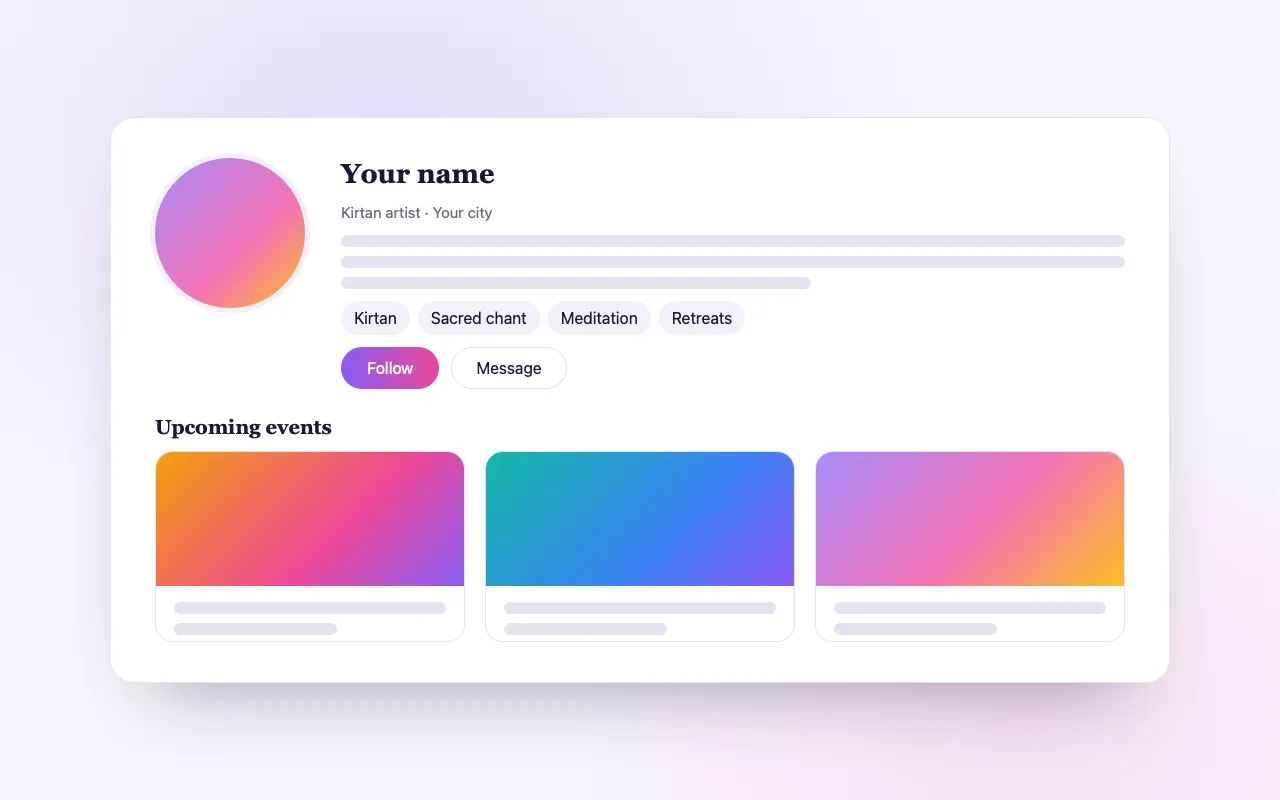
One page for everything you offer
Your story, your way
Bio, photos, video and links to your website, music and socials, in one profile people can find.
Your events appear by themselves
Every event you are part of on BrightStar shows on your profile, without you listing it twice.
A following of your own
People follow you from your profile, and search engines read it as a proper artist page.
How it works
Find your profile
Search your name. If you are not there yet, create a new profile in a few steps.
Claim it
Confirm it is you, and the page is yours to edit.
Make it yours
Add your bio, photos, teaching style and links, and share it anywhere.
Loved by artists and organizers
“BrightStar has been supporting my concerts since the very beginning of my career and played a pivotal role in growing my audience sizes. Their loyalty and dedication to both artists and event organizers is exemplary, as is their professionalism.”

Snatam KaurGrammy Nominee (Client Since 2005)
“For nearly two decades, Akal (owner of BrightStar) has been lending his skills and talents in support of the Bhakti movement. His platform uniquely serves our movement with authenticity and heart. The technology also rocks!”

Jai UttalGrammy Nominee (Client Since 2014)
“We've been so happy with the outstanding customer service that we've received while working with BrightStar, and feel great about supporting a company that is authentically committed to the ideals of higher consciousness.”

Eric ForbisFounder, BuddhaFest (Client Since 2012)
Questions organizers ask
Is my profile already on BrightStar?
If you have taught at a festival, retreat or studio that uses BrightStar, your profile likely exists. Search your name to find and claim it.
What does it cost to claim my profile?
Nothing. Claiming is free, and you get full control over your bio, photos, links and listings.
Can I link my website and social media?
Yes. Your profile has places for your website, YouTube, Spotify, Instagram, Facebook and more.
I am a teacher or healer, not an artist. Is this for me?
Yes. Teachers, guides, facilitators and musicians all belong here; “artist” is shorthand for everyone who creates the experience.
Read more
A page that gathers everything you do
A teacher or musician in this world is usually scattered across the web: a website that is two years out of date, a social profile, a streaming page, and a dozen event listings on other people’s sites. An artist profile on BrightStar is one page that holds your story and stays current by itself, because the events you are part of appear on it as they are published. It is a page for people to find, follow and return to.
Your profile may already be there
BrightStar is used by festivals, retreat centers, studios and promoters, and it lists gatherings from across the field. When an event names its teachers and performers, each of them is given a profile, so that visitors can see who they are. If you have taught or played at such an event, there may already be a page with your name on it. Search for yourself before you create anything.
Claiming it
Claiming is how a profile becomes yours. You find the page, say that it is you, and give the details that show it. Claims are reviewed, because a profile speaks in someone’s name and should only be edited by that person or their team. Once the claim is approved, the page is yours to edit. Claiming costs nothing.
If you are not there yet
If you do not find yourself, you can add a profile. The wizard takes a few short steps and you can begin without an account. A new profile goes live, and BrightStar then fills in what it can find about you from public sources, which you can correct and extend.
What you can put on it
Your bio in your own words. Photos. Video. Links to your website and to where your music or teaching lives, such as YouTube, Spotify, Instagram and Facebook. The traditions and practices you work in. A good profile answers three questions for a stranger: who is this, what do they offer, and where can I experience it next.
Events that list themselves
You do not maintain a calendar. Every event on BrightStar that names you appears on your profile, upcoming dates first. When an organizer adds you to a festival line-up, it shows on your page without anyone writing to you. When the date has passed, it moves out of the way.
Followers
Visitors can follow you from your profile. Following is how a person keeps you in their own account: you appear in the list of people they follow, and your new events can be included in the “from people you follow” section of BrightStar’s regional emails to them. A following here is a group of people who asked to hear about you.
Built to be found
Each profile is published with the structured data that search engines and AI assistants read to recognize a person or a group, including your links. A page that clearly says who you are and where you are appearing is the kind of page an assistant can cite when someone asks where to hear you.
One page per person
Many people in this field are several things at once: a musician who also organizes, a teacher who runs a center. On BrightStar you have one public page. Your other roles lead to it, so your audience is not split between an artist page and an organizer page that say slightly different things.
Teachers, guides and healers too
“Artist” is shorthand. The same profile serves yoga teachers, meditation guides, facilitators, speakers, sound healers and bands. If people come to gatherings because you are there, the profile is for you.
A profile and selling tickets are separate
You do not need a profile to sell tickets, and you do not need to sell tickets to have a profile. Hosting your own events uses a free organizer account. Many artists have both: a profile where they are found, and an organizer account from which their own workshops and concerts are sold. The events you host appear on your profile like any others.
Keeping it alive
A profile is worth an hour once and five minutes now and then. Replace the photo when you have a better one. Update the bio when your work changes. Check that your links still lead somewhere. The calendar looks after itself.
Where it is included
Profiles are free. There is no paid tier for claiming, editing or being followed.
Writing a bio that works
The best bios are short and concrete. Say what you do in the first sentence, in words a newcomer would understand. Say where you come from as an artist or teacher: your lineage, your teachers, the tradition you serve. Mention one or two things a stranger might have encountered, such as an album, a book or a well-known festival. Then stop. Three short paragraphs are read; ten are not. Write it in the third person if that is how presenters will quote it, since many organizers copy an artist’s bio into their own event description.
For managers and teams
A profile does not have to be looked after by the artist in person. Managers, assistants and labels can claim and maintain a page on an artist’s behalf, provided they can show that they act for them. This is common for touring musicians, whose team keeps the photos, the bio and the links current while the tour dates arrive on the page from each promoter’s event.
Why organizers care about your profile
When a festival or a studio lists you on their event, their page links to your profile, and visitors use it to decide whether to come. A complete profile with a good photo, a clear bio and a video makes their event more convincing, which is one reason promoters appreciate artists who keep theirs in order.
Custom Event Pages
Your page is designed from your poster, ready on every phone, and set up for search and sharing the moment you publish.
See the feature →Link in Bio
Your link-in-bio page shows your upcoming events as you add them, beside your bio and social links, free.
See the feature →Event Blog
BrightStar’s blog writes spotlight articles about upcoming events, so people searching for what you offer find a second way in.
See the feature →Blog & Publishing
Publish articles, videos and podcast episodes on BrightStar, where people already come looking for what you offer.
See the feature →Ticket Categories
Group your ticket types into clear categories, so buyers see the shape of your event and find their ticket fast.
See the feature →Payments, powered by Stripe
Every ticket is paid through Stripe into your own Stripe account, with the ways of paying your buyers already use.
See the feature →See allThere is more to see.