Room for gratitude.
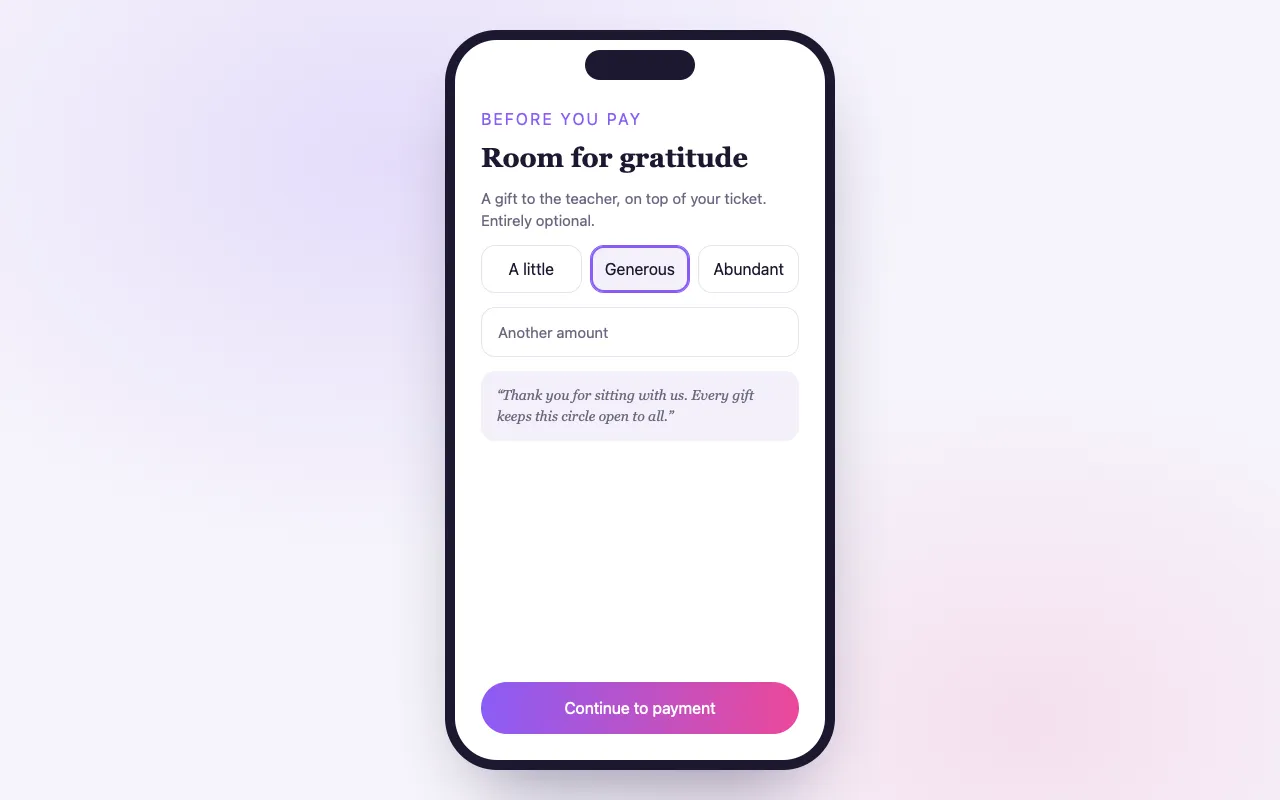
Some guests want to give a little more; a gentle tip option at checkout lets them, with no pressure.
新規登録Included on Elevate and Amplify.
Giving in the spirit of dana
Your suggested amounts
Offer the amounts you choose, plus an open “other”.
A thank-you in your words
A warm note you write appears with the tip option.
No cash, no awkwardness
Guests give privately as they book, with no bowl passed around.
How it works
Turn on the tip jar
In your event’s tools.
Set amounts and a note
Choose suggested amounts and write your thank-you.
Guests give
The tip is added to their order and paid out with your sales.
Loved by artists and organizers
“20年近くにわたり、Akal(BrightStar のオーナー)はその力をバクティ・ムーブメントのために捧げてきました。彼のプラットフォームは、真実さと心をもって、私たちのムーブメントに他にはないかたちで貢献しています。技術も最高です!”

Jai Uttalグラミー賞ノミネート(2014年からのクライアント)
“BrightStar は、私のイベントで非常にうまく機能した強力なプラットフォームを提供してくれるだけでなく、サポートも最高です。やりとりはいつも一人ひとりに向き合った、心のこもった、行き届いたものです。”

Peter Katerグラミー賞2度受賞(2014年からのクライアント)
“BrightStar と仕事をする中で受けてきた素晴らしいサポートに、私たちはとても満足しています。より高い意識の理想に真摯に取り組む会社を支えられることを、心から嬉しく思います。”

Eric ForbisBuddhaFest 創設者(2012年からのクライアント)
Questions organizers ask
How does the tip jar work?
Guests see a tip option at checkout with your suggested amounts and an open amount. Any tip rides on their order.
Can I customize it?
Yes. Set the suggested amounts, allow or hide a custom amount, and write your own thank-you.
Which plans include it?
The tip jar is on Elevate and Amplify.
続きを読む
A way to say thank you
In many of the traditions these gatherings come from, giving a little extra is a natural act. People put something in the bowl after a kirtan, or leave an envelope for the teacher at the end of a retreat. Online, that gesture has had no place: a ticket has a price, and that is that. The tip jar gives it one. At checkout, a guest who wishes to can add a tip to their order, in a moment and in private.
What the guest sees
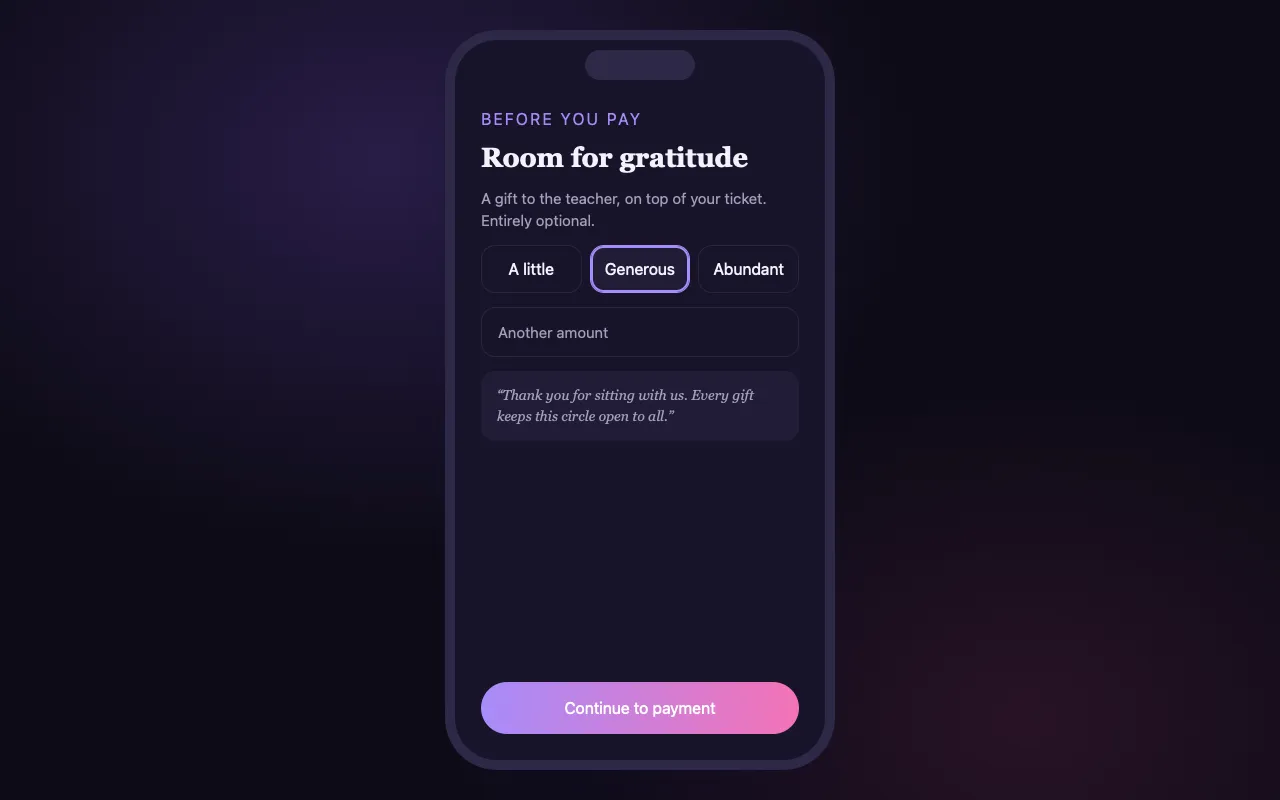
During checkout, the tip option appears with a few suggested amounts and, if you allow it, a field for an amount of their own. Beside it is a short note in your words. The guest taps an amount or passes on. Nothing is selected for them in advance, and the order total changes only if they choose to give.
Your amounts
You choose the suggested amounts. Small, round amounts that feel natural next to your ticket price work best: the price of a tea next to a class, something more next to a weekend. You can offer an open amount beside them, or hide it and keep to your suggestions.
Your words
The note is yours to write, and it matters more than the amounts. Say simply what a tip supports: the musicians who travelled, the scholarship places, the volunteers’ meal, the upkeep of the hall. One or two sentences are enough. People give when they can picture where the gift goes.
How a tip travels
A tip is added to the same order as the tickets and paid in the same payment. It appears on the order in your dashboard and reaches you with your sales. There is no separate payment link to send and no cash to count after the event.
No pressure
We designed the tip jar to be easy to ignore. It does not interrupt checkout with a pop-up, it does not shame a guest who gives nothing, and it does not choose an amount for them. A tip that is asked for by a nudge is no longer a gift, and guests can tell the difference.
When it suits, and when it does not
The tip jar suits offerings where the price is kept low on purpose: community classes, kirtan evenings, talks, open circles. It also suits events where an artist or a teacher is paid from the door. It may feel out of place on a premium retreat whose price already covers everything; you know your community best, and the switch is per event.
Tips, donations and sliding scale are different tools
The three sit close together but do different jobs. A sliding scale lets the buyer choose the ticket price within your range. A donation at checkout collects a gift for a cause you name. The tip jar is a thank-you on top of a ticket. An event can use one of them or combine them, though one clear invitation to give usually reads better than three.
What it does not do
The tip jar is part of checkout. BrightStar does not email guests afterwards to ask for a gratuity, and it does not take tips at the door through this feature. If you want to invite a gift afterwards, you can say so in person, or in a message to your guests in your own words.
Turning it on
The tip jar is one of the tools on each event. Switch it on, set the suggested amounts, decide whether to allow a custom amount and write your note. It is part of Elevate and Amplify.
Sharing tips with performers
Many hosts pass tips on to the people who gave the evening: the kirtan band, the visiting teacher, the sound healer. The tip jar records each tip on its order, so you can add up what was given at an event and settle it as you have agreed with them. Say in your note if tips go to the performers; guests give more freely when they know.
An example of wording
A good note is short and specific. “Tonight’s musicians travelled from three cities to play for us. Anything you add here goes to them.” Or: “This class is offered at a low price so that everyone can come. If you are able to give more, it keeps the door open for those who cannot.” Avoid apology and avoid pressure. State what is true and leave the choice with the guest.
Suggested amounts in practice
Three suggestions are easier to choose from than six. Make the lowest one small enough that a student would tap it without thinking. Make the highest one generous without being startling next to the ticket price. If your tickets are in a currency with large numbers, round to what people would hand over in notes.
For free events
A tip is added to an order beside a ticket and paid in the same payment. If your event is free and you would like to receive gifts, consider a pay-what-you-can or donation-only ticket instead, which makes the gift the ticket itself.
Ticket Categories
Group your ticket types into clear categories, so buyers see the shape of your event and find their ticket fast.
機能を見る →Assigned Seating
Buyers pick their exact seat from a clear, live map, and the seat is theirs the moment they pay.
機能を見る →Custom Questions
Add your own questions to checkout and every answer arrives tied to the right attendee, ready to export.
機能を見る →クーポンコード
イベント現地の時刻で開始・終了し、選んだチケットだけに適用され、コードごとの売上まで見えるコードです。
機能を見る →Smart Pricing
Get a suggested price for every ticket type, based on similar events near you, and decide for yourself.
機能を見る →Ticket Sharing
Buyers share tickets with the people coming along, and each person gets their own QR code for the door.
機能を見る →See allThere is more to see.