Your audience. Your data.
Every ticket sold grows your own database: names, emails, purchase history and answers, yours to keep, with each event’s attendee list ready as a CSV.
RegistratiIncluded on every plan, Seva included.
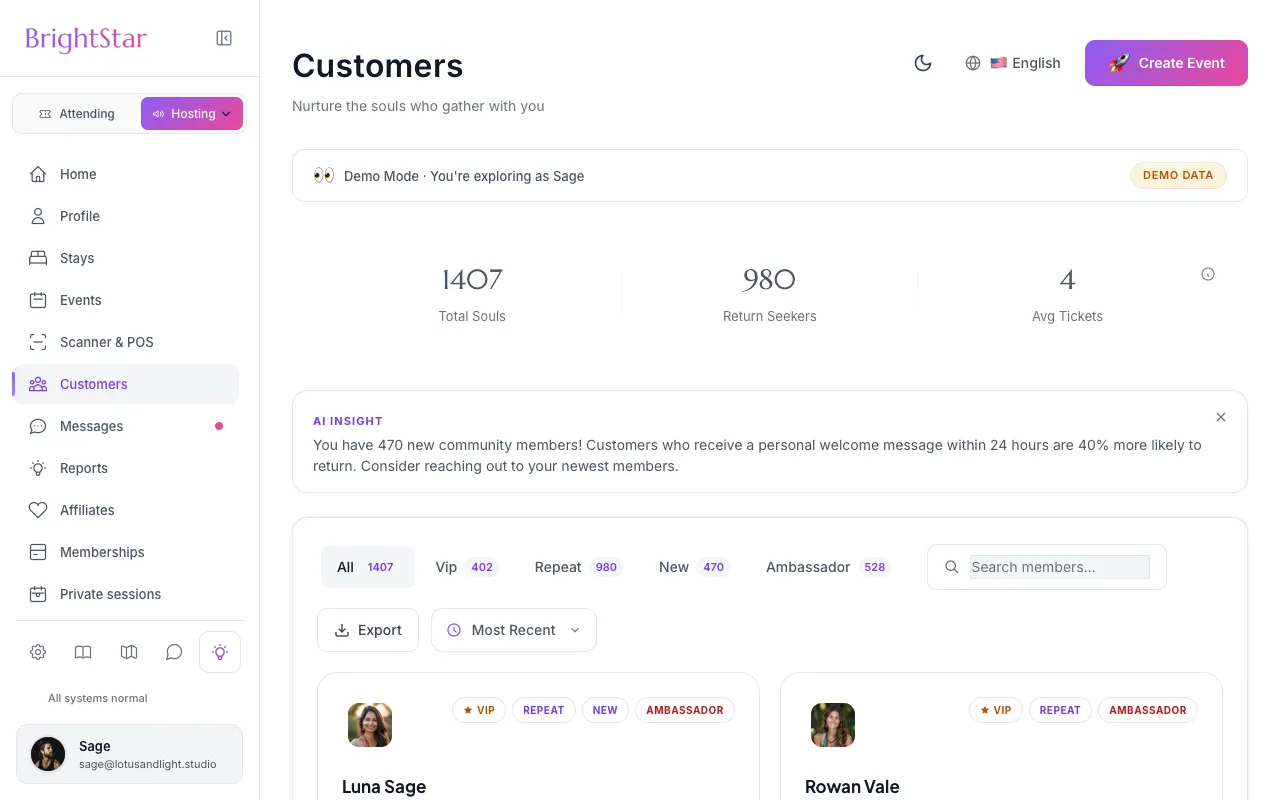
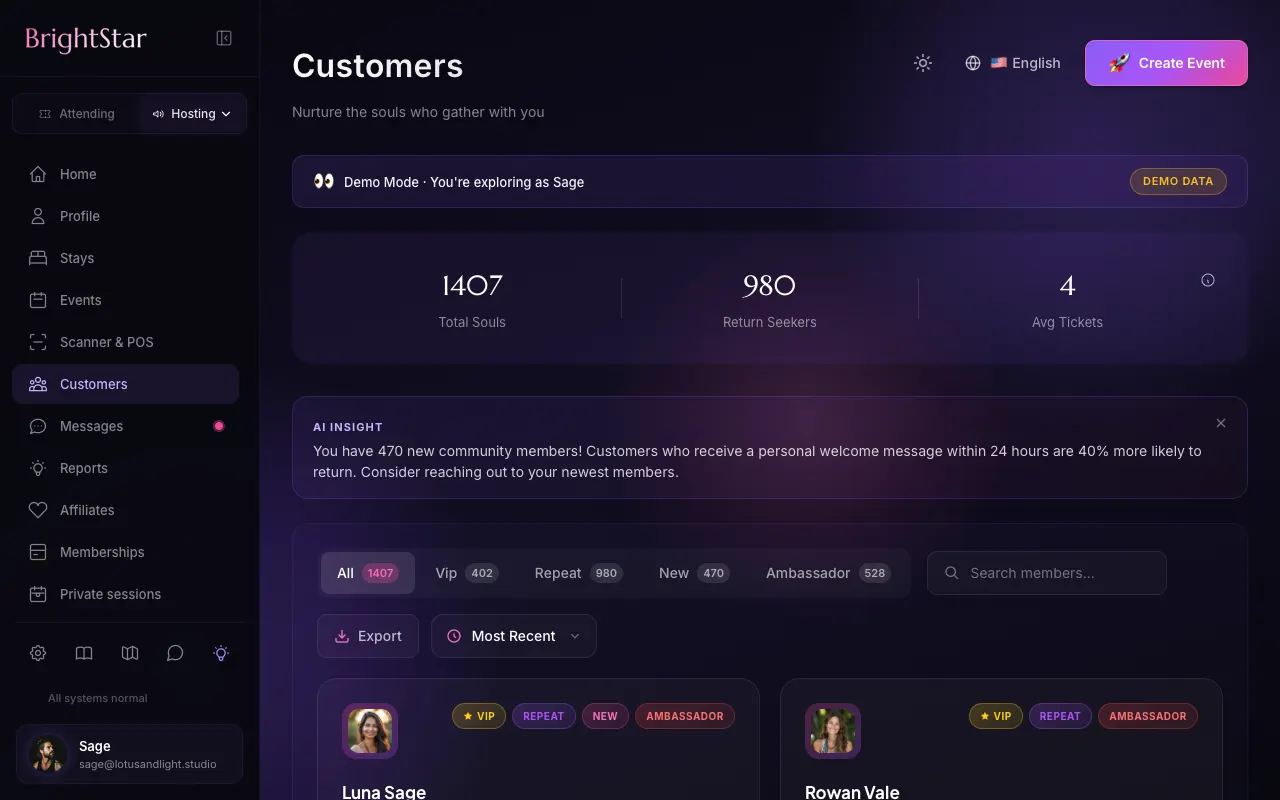
Every ticket is a relationship
One person, one profile
Buyers are grouped by email across all your events, with their orders, history and notes in one place.
Tags that update themselves
VIP, Repeat, New and Ambassador tags are set from real purchases, so your best people stand out.
Download the attendee list
Each event’s attendee list downloads as a CSV from Reports, with names, emails and your own questions’ answers. The data is yours, with no lock-in.
How it works
Sell tickets
Each purchase adds the buyer, their contact details and their answers to your customer list.
Tags fill in
VIP: spent 500 or more, or came to 5 or more events. Repeat: more than one event. New: a first purchase in the last 30 days.
Reach out
Search and sort by spend or recency, then download an event’s attendee list from Reports for the people you want to invite next.
Loved by artists and organizers
“BrightStar non offre solo una piattaforma potente, che ha funzionato benissimo per i miei eventi: la loro assistenza è la migliore. La comunicazione è personale, sincera e sempre premurosa.”

Peter KaterDue volte vincitore di un Grammy (cliente dal 2014)
“Siamo felicissimi del servizio eccezionale che abbiamo ricevuto lavorando con BrightStar, e ci fa bene sostenere un’azienda sinceramente dedicata agli ideali di una coscienza più alta.”

Eric ForbisFondatore, BuddhaFest (cliente dal 2012)
“Da quasi vent’anni Akal (il fondatore di BrightStar) mette il suo talento al servizio del movimento Bhakti. La sua piattaforma serve il nostro movimento con un’autenticità e un cuore unici. E anche la tecnologia spacca!”

Jai UttalCandidato ai Grammy (cliente dal 2014)
Questions organizers ask
Do I own my customer data?
Yes. Your buyers’ names, emails and history are yours on every plan, and the attendee list of any event downloads as a CSV whenever you like.
How are customers grouped?
By email address across all your events, so one person who comes to five events is one profile, not five.
What does the download include?
The Attendee List report for an event: name, email, phone, ticket type, order number, check-in status and the answers to your own questions, as a CSV. The Customers page itself does not have a whole-list download yet.
Leggi di più
Your community is not our asset
When you sell tickets through some platforms, the audience you built ends up as rows in their database, used to promote other people’s events to your guests. We hold a different view. The people who come to your gatherings came for you. On BrightStar, every booking adds to a customer list that you can read and search on every plan, including Seva, and the attendee list of each event downloads as a CSV.
One person, one profile
There is no separate sign-up for your guests to become “customers”. A customer is simply a person, identified by their email address, who has registered for or bought a ticket to one of your events. If the same person comes to five events, you see one profile with five visits, not five unrelated rows. Free registrations count as well as paid orders, because a person who came to your free evening is part of your community too.
What a profile shows
Opening a customer shows their purchases and the events they attended, with their totals. You can keep private notes on a profile, for example that someone is a senior teacher or prefers a chair, and you can correct a name or an email address that was mistyped at checkout. The notes are yours and are not shown to the customer.
Tags that set themselves
Four tags are worked out from real purchases and update by themselves. VIP marks your strongest supporters: people who have spent 500 or more with you, or come to five or more events. Repeat marks anyone who has been to more than one. New marks a first purchase in the last thirty days. Ambassador marks committed supporters, people who have both come to several events and spent a meaningful amount with you. You do not maintain these by hand, and nobody is tagged by guesswork.
Search, sort and filter
The list can be searched by name or email and sorted, for instance by spend or by how recently someone booked. Filtering by tag gives you your regulars or your newcomers in one click. For a host, this is where simple questions get answered quickly: who has not been back since the spring retreat, and who has come to every kirtan this year.
Download the attendee list
In Reports, the Attendee List for any event downloads as a CSV file, with each person’s name, email, phone, ticket type, order number and check-in status, plus the answers to your own checkout questions. The file opens in any spreadsheet and imports into any newsletter tool. There is no fee for downloading and no limit on how often. The Customers page itself shows the combined list across your events, but it does not offer a whole-list download yet; today the file is per event.
Answers to your questions belong with the person
The answers buyers give to your checkout questions, such as dietary needs or experience, are stored with each booking and appear on the guest in your event and in the Attendee List report. Together with the customer profile they give you a real picture of the person, without a separate form or a second database.
How BrightStar treats this data
Your customer list is visible to you and to teammates whose role includes it. Other organizers do not see your customers, your sales or your lists. When BrightStar promotes events to its own wider audience, it honors each person’s email choices, and anyone who has unsubscribed is not mailed.
Your responsibilities
Owning your data also means looking after it. Use it for what people would expect from having attended your events, give them a way to stop hearing from you, and follow the privacy rules that apply where you and they live. If you download the list into another tool, that tool’s unsubscribe list becomes yours to honor.
What it is not
The Customers page is a clear list with history, tags and notes. It is not a full CRM with pipelines and tasks. If you run one, connect your pixels and automations from the Integrations tab and let buyers flow on from there; the list in BrightStar remains the source of who actually booked.
Ways organizers use their list
Before announcing a retreat publicly, write first to the people tagged Repeat and VIP; it is a courteous way to begin, and those places are often the first to go. After a first workshop in a new city, use that event’s attendee list and thank them with a note about your next visit. When a teacher you hosted returns, look through the people who came last time. None of this needs special software: a list, a download and an email in your own words.
Getting the basics right
A list is only as good as the addresses in it. Because customers are grouped by email, a person who books once with a work address and once with a private one appears twice; if you notice, you can correct the email on one profile. Mistyped addresses can be fixed the same way. It is worth a few minutes after each event to tidy what you see.
From list to relationship
Numbers and tags are a means. What they make possible is recognition: greeting someone at the door as a returning guest, remembering that they asked for a chair, inviting them personally to the thing they are likely to love. That is how small gatherings become communities, and it is why we think the list should be in the host’s hands.
Maestro
Maestro è l'assistente nel tuo cruscotto: chiedi con le tue parole, controlla la modifica su una card, tocca per applicare.
Scopri la funzione →Accesso team
Invita le persone che gestiscono i tuoi events con te, assegna a ognuna un ruolo, e limita l'accesso a denaro e dettagli degli acquirenti a chi ne ha bisogno.
Scopri la funzione →Ticket Scanner
One app for the door: download BrightStar Organizer, sign in with your team login, pick the event and scan.
Scopri la funzione →Email Sequences
Confirmations go out the moment someone buys, and timed reminders keep your event in mind until the day.
Scopri la funzione →Message Center
Buyer questions and refund requests arrive in one calm inbox. An AI trained on your voice drafts every reply and answers the common ones for you.
Scopri la funzione →AI FAQ Assistant
Your event page carries its own questions and answers, and an assistant on the page answers the rest from your event’s details.
Scopri la funzione →See allThere is more to see.