


.png)
Welcome to BrightStar—where we're not just organizing events; we're creating soulful experiences with technology that serves consciousness. We understand that getting the details right is essential, but it's equally important how you communicate them. BrightStar's automated email system isn't just about conveying information—it's infused with loving-awareness and conscious communication, making your attendees feel seen, heard, and valued from registration through the day they arrive.
In this guide, we'll show you how BrightStar's 3-reminder system and customizable email messages can increase attendance by 20-40%, reduce customer service inquiries by up to 70%, and create the confident, prepared attendees who show up ready to engage fully—all without losing the human touch that makes your work meaningful.
Why Three Reminders? (Because Life Happens)
Research consistently shows that events with systematic reminder emails see 20-40% higher attendance rates than events without reminders. The reason is simple: when someone registers for an event weeks in advance, they have genuine intention to attend. But between registration and the actual event, life happens—work gets busy, family needs arise, competing commitments emerge, and the mental commitment fades. Reminders reactivate that original intention at crucial decision points.
BrightStar sends three automated reminders—7 days, 3 days, and 1 day before your event—because different people respond to different timing. The week-before reminder gives people time to rearrange conflicts or make preparations. The 3-day reminder catches people during their mid-week planning phase when they're organizing upcoming schedules. The 24-hour reminder creates urgency and catches procrastinators who need a final push.
Each reminder automatically includes the ticket attachment, so attendees never have to search through old emails for access. And the best part? Once you set up your custom message during event creation, these reminders send automatically for every event. You don't think about them again. You're free to focus on what matters—being present and preparing the container for transformation.
We could have stopped at one or two reminders like other platforms. But we learned through years of hosting conscious events that one timing doesn't fit everyone. Three reminders account for different attendee behaviors and life circumstances, maximizing the chance that your message lands when people are ready to receive it.
What to Include in Your Event Messages (The Essential Information)
Your confirmation and reminder emails need to do more than announce the event—they need to answer every question an attendee might have, proactively eliminating confusion and anxiety. Research shows that 70-80% of pre-event customer service inquiries are about the same handful of topics: location and directions, parking, what to bring, timing, format, and policies.
Here's what every event message should include:
Essential Logistics:
- Precise date, time, and location with map link
- Detailed directions including landmarks ("the blue building next to the coffee shop")
- Parking information (cost, alternatives, public transit options)
- Exact timing: when to arrive, when the event starts, when it ends
- What to bring and what's provided
- What to wear (if relevant to your practice)
Setting Expectations:
- Brief description of format and flow
- Experience level (beginner-friendly, intermediate, advanced)
- Any prerequisites or preparation needed
- Your refund/transfer policy (link to full terms)
Creating Connection:
- Warm welcome that reflects your event's values
- Brief facilitator bio so people know who they'll be learning with
- Intention-setting prompt or preparation practice (for spiritual events)
- Contact information for questions
These details aren't "filler"—they create peace of mind. When attendees feel informed and prepared, they arrive calmer and more present, which enhances the experience for everyone. And critically, when you answer common questions proactively in your emails, you dramatically reduce the customer service inquiries you receive in the days leading up to your event.
How BrightStar's Email Automation Actually Works
The magic of BrightStar's email system is its combination of automation and personalization. During event creation, you write your custom message once—whether it's a heartfelt welcome, essential logistics, or preparation instructions. The system then automatically integrates your message into all event communications: the confirmation email sent immediately after registration and all three reminder emails sent at 7 days, 3 days, and 1 day before your event.
Your custom message appears identically in each email, ensuring consistency and giving attendees multiple opportunities to absorb the information. People often skim the confirmation email, forget details, and need reminders closer to the event when they're actually preparing. Receiving the same essential information at strategic intervals ensures it's there when they need it.
If you need to send additional reminders or last-minute updates, BrightStar makes that simple too. You can send custom messages to all registered attendees anytime. Yes, it requires a bit of extra effort to compose and send these additional messages, but the platform handles the distribution to all attendees automatically—no manually managing email lists or BCCing hundreds of people.
The system also includes BrightStar's AI-powered GPT assistant, which answers common attendee questions instantly on your event page. The assistant draws from the custom FAQs you create during event setup plus general platform knowledge, handling questions like "What should I bring?" or "Is this suitable for beginners?" 24/7 without your involvement. This further reduces your customer service burden by providing immediate answers when people are researching your event or preparing to attend.
Writing Event Emails That Connect (Not Just Inform)
Your event emails are often the first and most frequent touchpoints with attendees before they arrive. If those messages feel cold or transactional, you're undermining the sacred container you're trying to create. But when emails feel aligned with your values—warm, clear, respectful, human—they become part of the transformational experience rather than just logistics.
Here's how to write emails that actually connect:
Use your authentic voice. Write as if you're sending a message to a friend you're excited to see, not drafting a corporate memo. Read your emails out loud before finalizing them. Do they sound like you? Would you want to receive this message?
Be conversational and specific. Instead of "Attendees are required to arrive promptly," try "We begin at 9:00 AM to honor everyone's time—please arrive a few minutes early to settle in." Instead of "Join us for an amazing experience," describe what actually makes this gathering special: "We'll practice breathwork by candlelight as the sun sets over the valley, creating a container for deep release."
Acknowledge the human. Phrases like "We know life gets busy," "If anything comes up and you need to adjust your plans," or "Feeling nervous? That's completely natural—we'll take care of you" convey warmth and understanding. Address likely concerns proactively rather than waiting for people to ask.
Provide clarity with kindness. You can be clear about policies and logistics without being harsh. "If you need to cancel, please let us know at least 48 hours in advance so we can offer your spot to someone on the waitlist" is both clear and considerate.
Compare these approaches:
Generic Platform Style:
REMINDER: EVENT IN 3 DAYS
ORDER #48392
Date: 11/30/2025
Time: 9:00 AM - 5:00 PM
Location: 123 Main St.
Click here for ticket access.
BrightStar Conscious Communication:
We're three days away from gathering together for our Day of Deep Rest retreat! We're holding space for you and can't wait to practice together.
Here's what you need to know:
When & Where: Saturday, November 30th, 9:00 AM - 5:00 PM at Serenity Center (123 Main Street—the blue building next to Common Grounds coffee shop)
What to Bring: Comfortable clothes, yoga mat (we have extras if needed), water bottle, journal, and an open heart
Parking: Free parking in the rear lot. Street parking also available.
Your ticket is attached. We'll begin promptly at 9:00 AM with a grounding circle, so please arrive by 8:50 to settle in.
If questions arise, our AI assistant on the event page can help, or email us directly.
See you soon!
The information is the same, but the tone creates completely different experiences. The first feels like a transaction. The second feels like an invitation into community.
Reducing Customer Service Inquiries (Before They Happen)
The most effective customer service is answering questions before people think to ask them. By providing comprehensive information in your automated confirmation and reminder emails, you eliminate 70-80% of the repetitive inquiries that would otherwise flood your inbox in the days before your event.
Beyond detailed emails, BrightStar offers two additional features that dramatically reduce customer service load:
Custom Event FAQs + GPT Assistant: During event creation, BrightStar guides you to build a FAQ section addressing the unique details of your gathering: "What style of yoga will we practice?" "Is the venue wheelchair accessible?" "What's your refund policy?" Once created, BrightStar's GPT assistant—embedded on your event page—uses these FAQs to answer attendee questions instantly, 24/7. Someone visiting your page at 11 PM gets immediate answers without waiting for you to check email. Common questions like "What should I bring?" or "Is this suitable for beginners?" are handled automatically, and you only receive the genuinely unique inquiries that require your personal attention.
Self-Service Registration Management: Every attendee receives a "Manage Registration" link in their confirmation email where they can update their information, transfer tickets to others, or access event resources without contacting you. This handles another major category of customer service requests automatically.
The result? Instead of fielding dozens of emails asking "Where do I park?" and "What time does it start?" you receive only the meaningful inquiries—specific accessibility needs, unique circumstances, or deeper questions about your teaching. Your time is spent on what matters: holding space, making final preparations, and showing up present for the actual gathering.
The Philosophy: Conscious Communication Meets Smart Automation
At BrightStar, we believe technology should serve consciousness, not compromise it. Traditional event platforms were built for efficiency and volume—corporate conferences, networking events, concerts. Their automated messages reflect that origin: transactional, sterile, focused on conveying information as quickly as possible.
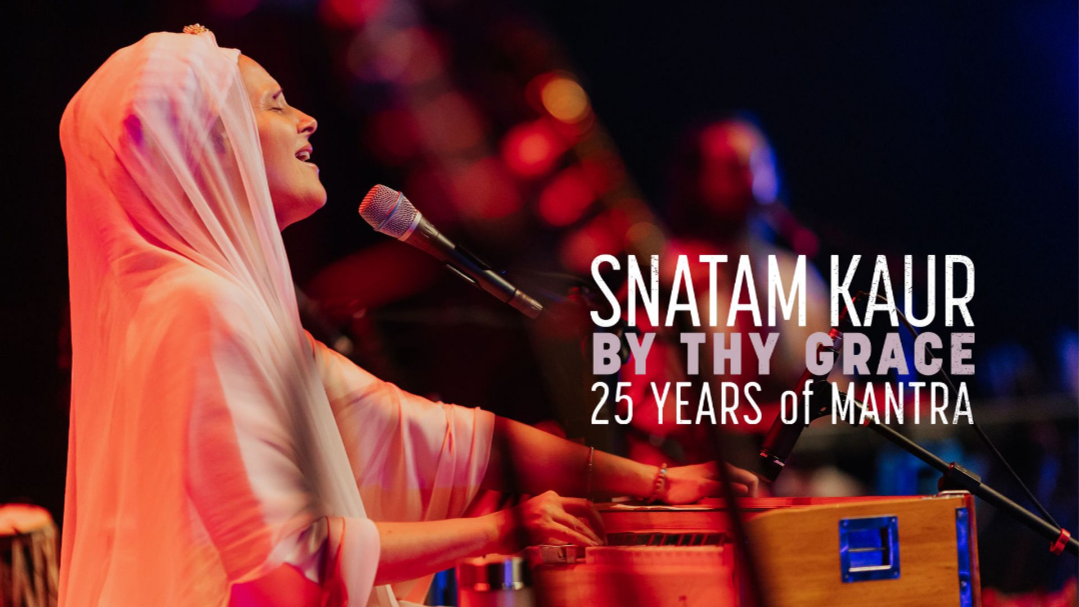
BrightStar is different because it was built by practitioners for practitioners. Founder Akal Sahai Khalsa has over 20 years practicing Kirtan and Qigong and spent a decade touring with sacred chant artist Snatam Kaur. He built this platform because the existing options felt misaligned with how conscious events actually work—the care, the intention, the recognition that every interaction is part of the container you're creating.
Conscious communication means writing with presence and loving-awareness even when you're writing once and the system is sending hundreds of times. It means respecting people's autonomy and timing rather than creating false urgency. It means acknowledging that even logistical emails are opportunities to create connection and convey values.
Smart automation means technology handling the mechanical work—timing, delivery, ticket attachment, distribution—so you can focus your human presence where it matters most. You write your message once with care. The system ensures it reaches people at the perfect moments. You're freed from the administrative burden while maintaining the personal touch that makes your work meaningful.
This combination—conscious communication delivered through smart automation—is what allows spiritual teachers, yoga instructors, meditation guides, and healing practitioners to scale their impact without scaling their stress or compromising their values.
Getting Started: Setting Up Your Event Communications
Ready to optimize your event attendance and reduce customer service inquiries? Here's how to set up BrightStar's email system:
1. During Event Creation:
- Write your custom message addressing all essential logistics, what to bring, format details, and anything unique to your event
- Create 5-10 custom FAQs answering the specific questions people will have about your gathering
- The system automatically integrates your message into confirmation + 3 reminder emails
2. Review the Default Timing:
- 7 days, 3 days, and 1 day before are optimal for most events
- You can customize timing if your event needs different intervals
- For multi-day events, consider adding a 2-week reminder for travel planning
3. Test the Experience:
- Register yourself for a test event to see exactly what attendees receive
- Check that all information is clear, links work, and the ticket displays correctly
- Read your message fresh—does it sound like you? Is anything missing?
4. Let It Run:
- Once configured, the system handles everything automatically
- Focus on preparing the container and being present
- Only send additional messages if something changes or you have last-minute updates
The entire setup takes 10-15 minutes during event creation and then works for every event you host. The time investment is tiny. The impact on attendance, attendee confidence, and your peace of mind is enormous.
The Bottom Line: Technology Serving Transformation
Your role as a conscious event creator isn't to be a customer service representative answering logistics questions or manually sending reminder emails. Your role is to hold sacred space, deliver transformational teachings, and create containers where healing and awakening can occur.
BrightStar's automated email system—infused with conscious communication and supported by AI assistance—handles the mechanical work so you can focus on the meaningful work. Your attendees receive clear, warm, consistent communication at exactly the right moments. They show up confident, prepared, and ready to engage fully. You show up present, rested, and freed from administrative burden.
This is what it looks like when technology serves consciousness instead of extracting from it: everyone benefits, nothing is compromised, and the work that matters most becomes possible.
Ready to create events where both you and your attendees can show up fully? BrightStar is here to support you—from the first email to the final reminder and every moment in between.


.png)

.png)
.png)

.png)








BrightStar embeds an AI-powered GPT assistant directly on every event page to provide instant, accurate answers to attendee questions 24/7—dramatically reducing the customer service burden on event creators while improving the attendee experience. Unlike generic chatbots that provide frustrating canned responses or can only handle basic queries, BrightStar's GPT assistant is trained on both universal platform knowledge (how tickets work, transfer policies, refund procedures, registration management) and your event-specific information pulled from the custom FAQs you create during event setup.
Here's how it works: During the event creation process, BrightStar guides you to build a custom FAQ section addressing the unique details of your gathering. These aren't generic template questions—they're your answers to what makes your event special and what attendees need to know: "What style of meditation will we practice?" "Is the venue wheelchair accessible?" "What's included in the ticket price?" "Can I bring a friend to the closing circle?" "What's your weather cancellation policy?" You write these once, and the GPT assistant uses them to answer attendee questions intelligently and conversationally.
When someone visits your event page considering registration or preparing to attend, they can ask the GPT assistant anything. "What should I bring?" "Is this suitable for complete beginners?" "What time should I arrive?" "Where do I park?" The assistant searches your custom FAQs first, then draws on general platform knowledge, and provides natural, conversational answers that sound helpful rather than robotic. If the answer isn't in your FAQs, the assistant can still help with general platform questions like "How do I transfer my ticket?" or "What's the refund process?"
The impact on customer service is significant. Most event creators report that 60-80% of pre-event questions are repetitive—the same handful of queries asked by different people at different times. These questions often come at inconvenient hours (late evening, early morning, weekends) when you're not monitoring email. With the GPT assistant, these questions get answered instantly, any time of day, without your involvement. The attendee gets immediate clarity, you avoid interruption, and everyone's experience improves.
But the benefits go beyond just reducing your workload. Instant answers remove friction from the decision-making process. When someone is considering registering for your event but has a question, they might abandon the page if they have to email and wait for a response. With the GPT assistant, they get their answer immediately and can complete registration while they're still engaged and excited. This measurably improves conversion rates—fewer abandoned registrations, more completed ticket purchases.
The assistant also improves the quality of the questions you do receive. When common queries are handled automatically, the emails that reach you are genuinely unique situations requiring your personal attention—specific accessibility needs, unusual circumstances, deeper questions about teachings or lineage. You're spending your time on meaningful conversations rather than typing "We're located at 123 Main Street, parking is in the rear" for the twentieth time.
For attendees, the experience feels supportive and responsive. They're not waiting hours or days for answers to simple questions. They're not worried about "bothering" you with basic inquiries. They get the information they need exactly when they need it, which helps them feel confident and prepared for your event. And because the assistant's responses are drawn from your custom FAQs, the answers reflect your voice and values rather than generic platform language.
Setting up the GPT assistant requires minimal effort—you're simply creating FAQs you should probably have anyway for your event. But once configured, it works continuously across the entire lifecycle of your event: during the registration period (answering questions from potential attendees), in the days leading up to the event (helping confirmed attendees prepare), and even post-event (if people have follow-up questions). It's like having a knowledgeable assistant who never sleeps, never gets frustrated by repetitive questions, and always represents your event accurately and warmly.
This is conscious automation at its best: technology handling routine informational queries so you can focus your human presence where it matters most—in the actual teaching, in holding sacred space, and in addressing the genuinely complex or personal situations that benefit from your direct attention. The GPT assistant doesn't replace your connection with attendees; it protects and preserves it by ensuring your time together is spent on what's meaningful rather than logistics.
The most effective way to reduce customer service inquiries is proactive communication—answering common questions before attendees think to ask them. Research shows that 70-80% of pre-event inquiries are about the same handful of topics: location and directions, parking, what to bring, timing and schedule, refund or transfer policies, and what to expect (format, style, prerequisites). When you address these clearly in your confirmation and reminder emails, you eliminate most questions before they arise.
Structure your event communications to include: precise location with map link and landmark descriptions ("in the blue building next to the coffee shop"), detailed parking instructions including costs and alternatives, a specific list of what to bring and what's provided, clear timing (when to arrive, when it starts, when it ends, total duration), format description so people know what they're walking into, and your refund/transfer policy with a link to your terms.
BrightStar's automated email system allows you to include all this information in your custom message, which then appears in every confirmation and reminder email automatically. Attendees receive the information multiple times at strategically spaced intervals, which means they're far more likely to actually absorb it rather than having to dig back through emails when they finally think to check.
But here's where BrightStar's innovation goes further: During your event creation process, BrightStar guides you to build a custom FAQ section specific to your event. These aren't generic platform FAQs—they're your own questions and answers addressing the unique details of your gathering: "What style of yoga will we practice?" "Is the venue wheelchair accessible?" "What's your refund policy?" "Can I bring my partner to the closing ceremony?"
Once you've created your event FAQs, BrightStar's GPT assistant—embedded directly on your event page—uses them to answer attendee questions instantly, 24/7. When someone visits your event page at 11 PM wondering "What should I bring?" or "Is this suitable for beginners?" they get immediate, accurate answers pulled from your custom FAQs plus general platform knowledge. No waiting for you to wake up and check email. No barrier between question and answer.
This dramatically reduces your customer service burden in two ways: First, common questions get answered instantly without ever reaching you. Second, when questions do reach you (because the GPT couldn't answer from available information), they're genuinely unique issues that require your personal attention—not the same "where do I park?" question you've answered fifteen times.
The system also provides attendees with a "Manage Registration" link where they can handle common tasks themselves—updating their information, transferring tickets, accessing resources—without needing to contact you at all.
Additionally, consider creating a dedicated event FAQ page on your website and linking to it prominently in your emails for particularly complex events like multi-day retreats. You might send a dedicated "logistics email" a week before that goes deeper into arrival procedures, meal information, accommodation details, and schedule overview.
The investment in clear, comprehensive communication upfront—automated emails with detailed information plus AI-powered instant answers on your event page—saves enormous time during the days leading up to your event when you should be focusing on final preparations and holding space, not answering the same questions repeatedly. When attendees feel informed and prepared through self-service tools and proactive communication, they arrive calmer and more present, which enhances the entire experience for everyone.
Absolutely—when done thoughtfully, automated emails can feel just as personal and authentic as manually written messages, while saving you enormous time and ensuring consistency. The key is writing automation with intention rather than defaulting to corporate templates or sterile language.
Personal, authentic automated emails start with your genuine voice. Write as if you're sending a message to a friend you're excited to see, not drafting a corporate memo. Use conversational language, contractions, and the vocabulary you actually use when speaking. Instead of "Attendees are required to arrive promptly," try "We'd love for you to arrive a few minutes early so you can settle in before we begin." The information is the same, but the tone is completely different.
Include specific details that reflect your unique event rather than generic placeholders. Instead of "Join us for an amazing experience," describe what actually makes this gathering special: "We'll be practicing breathwork by candlelight as the sun sets over the valley, creating a container for deep release and renewal." Specific, sensory language makes even automated messages feel crafted specifically for this event.
Acknowledge the human on the other end. Phrases like "We know life gets busy," "If anything comes up and you need to adjust your plans," or "We're holding space for you" convey warmth and understanding. You can address likely concerns proactively: "Feeling nervous? That's completely natural—we'll take care of you." This kind of empathetic anticipation makes people feel seen even through automated systems.
BrightStar's email system is designed to support authentic communication by providing a blank canvas for your custom message rather than forcing you into rigid templates. The automation handles timing, ticket attachment, and delivery—the mechanical parts that don't require your ongoing attention. But the message itself is yours, written once with care and delivered repeatedly with consistency. This combination of automation and authenticity is what allows conscious event creators to scale their impact without sacrificing the personal touch that makes their work meaningful.
The truth is, attendees don't necessarily know or care whether an email was sent automatically or manually—they care whether it feels warm, clear, helpful, and aligned with the experience you're creating. When automation is infused with consciousness and care, it becomes an extension of your teaching rather than a compromise of your values.
Confirmation emails and reminder emails serve distinct purposes in the attendee journey, though both are essential for optimizing attendance and creating positive experiences. Understanding the difference helps you craft messages that serve their specific functions effectively.
Confirmation emails are sent immediately after registration and serve three primary purposes: providing proof that registration succeeded (reducing anxiety), delivering the ticket for access, and communicating all essential event information in one comprehensive message. Confirmations should be thorough because attendees often reference them multiple times leading up to the event. They should include everything: date, time, location with directions, what to bring, format details, facilitator information, cancellation policies, contact information, and any preparation needed. Think of the confirmation as the definitive reference document that attendees can return to anytime they have questions.
Reminder emails are sent at strategic intervals before the event (typically 7 days, 3 days, and 24 hours before) and serve to re-engage intention and keep the event top-of-mind. Reminders can be briefer than confirmations since they're reinforcing rather than introducing information. Each reminder should reattach the ticket (so attendees always have easy access), highlight 1-2 key details that matter for that timing (the week-before reminder might emphasize preparation, while the day-of reminder emphasizes logistics), and build excitement or deepen intention for the gathering.
The tone can also differ slightly. Confirmations are more informational and comprehensive, answering "What am I getting into?" Reminders are more motivational and focused, answering "Am I ready?" and "This is happening soon!" Good reminders don't just say "Don't forget!"—they add value by highlighting different aspects of the event, sharing preparatory practices, or building anticipation.
On BrightStar, you write one custom message that appears in both your confirmation and all reminder emails, ensuring consistency while the system automatically handles the timing and ticket attachment. You can also send additional custom messages as needed for last-minute updates or specific communications. This approach gives you the efficiency of automation while maintaining the personal touch that conscious events require.
The ideal reminder schedule spans from one week before the event through the day of, with three strategic touchpoints: 7 days before, 3 days before, and 24 hours before (or morning-of for same-day events). This timeline balances providing adequate notice with maintaining urgency and relevance.
The 7-day reminder is crucial because it gives attendees enough time to make necessary arrangements without feeling so far out that they postpone thinking about it. A week is the sweet spot where the event feels imminent enough to matter but distant enough to adjust plans. This reminder should include all essential logistics and any preparation needed, giving people time to gather materials, arrange childcare, or clear their schedules.
The 3-day reminder serves as a mid-week nudge that catches people during their planning phase. Most people mentally organize their upcoming week between Tuesday and Thursday, so a Wednesday or Thursday reminder (for a weekend event) or a Monday/Tuesday reminder (for a Thursday/Friday event) aligns with natural planning rhythms. This message can be briefer than the 7-day reminder, focusing on building excitement while reiterating key details.
The 24-hour reminder creates healthy urgency and catches last-minute deciders or those who needed a final push. For morning events, sending a reminder the evening before gives people time to prepare. For evening events, a morning-of reminder works well. This final touchpoint should be concise—people either know they're coming at this point or need a quick "it's happening today!" to jolt them into action.
Some event types benefit from additional reminders: multi-day retreats might send a reminder 2 weeks out for travel planning, early-morning events might send a reminder the night before plus a morning-of reminder, and online events spanning multiple time zones might send reminders timed to each timezone. BrightStar allows you to customize your reminder schedule based on your event's specific needs while automating the delivery so you never have to remember to send them manually.
Yes—event reminder emails are one of the highest-ROI activities you can invest in as an event organizer. Studies consistently show that events with systematic reminder emails see 20-40% higher attendance rates than events without reminders, and the impact is even more pronounced for free or low-cost events where attendees haven't made significant financial commitments.
The effectiveness is rooted in psychology. When someone registers for an event weeks in advance, they have genuine intention to attend. But between registration and the actual event, life happens—work gets busy, family needs arise, other opportunities compete for attention, and the mental commitment fades. Reminders reactivate that original intention and bring the event back to top-of-mind awareness at crucial decision points.
Different reminder timings serve different purposes. Week-before reminders catch people during their planning phase and give them time to rearrange conflicts or make necessary preparations. Three-day reminders hit mid-week when people are organizing their upcoming schedules. Day-of or day-before reminders create urgency and catch procrastinators who need a final push. The combination of these touchpoints ensures you're reaching different psychological states and attendee types.
The key factors that make reminders work are: consistent timing across all reminders (so attendees know what to expect), including the ticket in every message (removing friction), providing value in each reminder (not just "don't forget!" but new information or inspiration), and using language that feels personal and warm rather than automated and cold. When reminders feel like helpful nudges from a friend rather than corporate spam, people actually appreciate receiving them.
Automated reminder systems like BrightStar's are particularly effective because they ensure consistency without requiring your ongoing attention. You set up the messaging once, and the system delivers perfectly timed reminders for every event you host. This reliability builds attendee trust—they know they'll always receive clear communication from you, which makes them more likely to register for future events without fear of missing important details.
Conscious communication in event emails means writing with intentionality, presence, and loving-awareness rather than defaulting to transactional, corporate language. It's the difference between "ORDER CONFIRMATION #48392" and "Your place is held for this sacred gathering." Conscious communication recognizes that even automated messages are opportunities to create connection, convey values, and make people feel seen and valued.
The principles of conscious communication include: using warm, human language that sounds like how you actually speak; respecting people's autonomy and timing rather than creating false urgency or manipulation; acknowledging the significance of the gathering you're creating together; providing clarity and practical information with kindness; and infusing even logistical details with care and intention. For example, instead of "You must arrive by 9:00 AM or you will not be admitted," conscious communication might say "We begin promptly at 9:00 AM to honor everyone's time—please plan to arrive a few minutes early to settle in."
BrightStar platforms its entire email system on conscious communication principles. Every default message, every reminder template, every system notification is written to reflect loving-awareness rather than corporate efficiency. This matters because your emails are often the first and most frequent touchpoints with attendees before they arrive. If those messages feel cold or transactional, you're undermining the sacred container you're trying to create. But when emails feel aligned with your values—warm, clear, respectful, human—they become part of the transformational experience rather than just logistics.
Practically, conscious communication means reading your emails out loud before sending them. Do they sound like you? Would you want to receive this message? Does it make people feel welcomed or processed? It means choosing "we're excited to practice together" over "attendees will participate in activities." It means acknowledging that life happens ("If you need to adjust your registration, we understand—here's how") rather than harsh policies and threats.
When your event communications embody the same consciousness you bring to your teaching, you create coherence and trust. People feel the difference, even if they can't always articulate it. And that sets the stage for deeper connection and transformation when you finally gather.
Yes—and you absolutely should. Generic automated emails feel cold and transactional, while personalized messages strengthen connection and reflect your event's unique character. Most modern event platforms, including BrightStar, allow you to fully customize the content of automated reminder emails while maintaining the automation that saves you time.
Customization typically includes: your own welcome message and tone of voice, specific event details like what to bring or how to prepare, logistical information unique to your venue or format, links to preparatory materials or resources, and any special instructions or expectations. For conscious events, you might add intention-setting prompts, quotes or teachings relevant to the gathering, acknowledgment of the sacred container you're creating, or gratitude for attendees' commitment to their growth.
On BrightStar, customization is straightforward: you write your message once in the event dashboard, and the system automatically integrates it into all confirmation and reminder emails. You're not copying and pasting the same information into multiple templates or manually sending individual messages. The automation handles the timing and delivery while your custom content ensures every message feels personal and aligned with your values.
The key is finding the balance between providing essential information and maintaining warmth. Your customized messages should answer the questions attendees are likely to have ("What should I bring?" "Where do I park?" "What's the format?") while also conveying the spirit of the gathering. Think of it as writing to a friend you're excited to see rather than issuing corporate communications. When automation meets personalization, you get the efficiency of technology with the warmth of human connection—which is exactly what conscious event creators need.
Automated event reminders typically increase attendance by 20-40% compared to events with no reminder system, because they address the primary reasons people miss events: forgetting, procrastination on preparation, or simply losing track of timing amid busy schedules. The human brain isn't designed to remember commitments weeks in advance, especially when life gets chaotic. Reminders serve as gentle nudges that re-engage people's original intention to attend.
The effectiveness comes from strategic timing. A week-before reminder gives people enough notice to rearrange conflicting plans, request time off, or make travel arrangements. The three-day reminder catches people during their weekly planning phase when they're thinking about their upcoming schedule. The day-before or day-of reminder creates urgency and catches last-minute deciders who might have been on the fence. Each touchpoint serves a different psychological purpose and captures different attendee segments.
Automation is crucial because manual reminder sending is unreliable and time-consuming. You might forget, get too busy, or send reminders at suboptimal times. Automated systems like BrightStar's send reminders at the perfect moment without requiring your attention, and they include the ticket automatically so attendees don't have to search through old emails for access. This reduces friction and makes attendance as easy as possible.
Additionally, automated reminders reduce no-shows caused by simple oversight, which is particularly important for events with limited capacity where no-shows mean empty seats that could have been filled. For paid events, better attendance means happier attendees (nobody wants to be in a half-empty room) and more positive reviews. For free or donation-based events, better attendance maximizes your impact and community building. The small investment in setting up thoughtful automated reminders pays enormous dividends in attendance rates, attendee satisfaction, and reduced organizer stress.
Event confirmation emails should provide immediate reassurance that registration succeeded while delivering all essential information attendees need to feel prepared. At minimum, include: event date, time, and location with a map link or detailed directions; a clear description of what to expect (format, activities, duration); what to bring or wear; parking or transportation instructions; any prerequisites or preparation needed; contact information for questions; and of course, the ticket itself with a scannable QR code.
But confirmation emails are also an opportunity to build excitement and connection before the event even begins. Consider adding a warm welcome message that reflects your event's tone and values, a brief bio or photo of facilitators so attendees know who they'll be learning from, links to preparatory materials or readings if relevant, and information about what makes this gathering special. For spiritual or wellness events, you might include an intention-setting prompt or gratitude practice to help attendees arrive with presence.
BrightStar's confirmation emails are designed with conscious communication principles, using loving-awareness language that makes people feel seen and valued from the first interaction. You can customize the message to reflect your unique voice and event details, and the system automatically includes all the logistical information attendees need. The confirmation also provides a "Manage Registration" link where attendees can update their information, transfer tickets if needed, or access additional resources—giving them control and reducing your customer service burden.
Think of your confirmation email as the beginning of the event experience, not just an administrative necessity. When done well, it transforms anxiety ("Did my registration go through?") into excitement ("I can't wait for this!") and sets the tone for the transformational experience you're creating.
The optimal number of event reminders is three: one week before, three days before, and one day before the event. This cadence balances keeping your event top-of-mind without overwhelming attendees with too many messages. Research shows that multiple touchpoints significantly improve attendance rates—a single reminder isn't enough given how busy people's lives are, but more than three can feel excessive and lead to email fatigue.
BrightStar automates all three reminders and includes the ticket with each message, so attendees always have easy access without digging through old emails. The 7-day reminder gives people time to prepare and arrange their schedules, the 3-day reminder serves as a mid-week nudge when they're planning their upcoming days, and the 24-hour reminder catches those who need a final push or forgot to add the event to their calendar. This three-point system accounts for different attendee behaviors—some people need early notice, others respond better to immediate urgency.
The beauty of automation is that once you set up your reminder schedule and custom messages, the system handles everything for you. You're not manually sending emails or worrying about timing—it all happens automatically while you focus on creating an amazing event experience. And if you need to send additional reminders or last-minute updates, BrightStar makes that simple too. The key is providing enough touchpoints to maximize attendance while maintaining the warm, personal tone that makes people actually want to open your emails.